
To update the theme check this article
5 October 2026
Introducing Accordion Open & Closed Status Icons
Customize the icons displayed for open and closed accordion items to better match your design. Choose separate icons for each state and create clearer, more polished accordion interactions across your website.
More Accordion Control & Customization
Create more flexible accordion layouts with improved control over how each item looks and behaves. Combine custom open and closed icons with the accordion’s existing content, spacing, colors, and responsive settings to build interactions that fit your visual style.
Use separate icons for expanded and collapsed items to make accordion states immediately clear at a glance.
Added
Elementor elements custom CSS option.
- Add Title and Text animation and animation delay options to FancyBox element.
Updated
- JavaScript performance optimizations.
- Popup loading cache improvements.
- Templates rendering improvements.
- Contact form 7 scripts loading optimizations.
- Language translation files.
Fixed
- Minor bug fixes and stability improvements.
21 September 2026
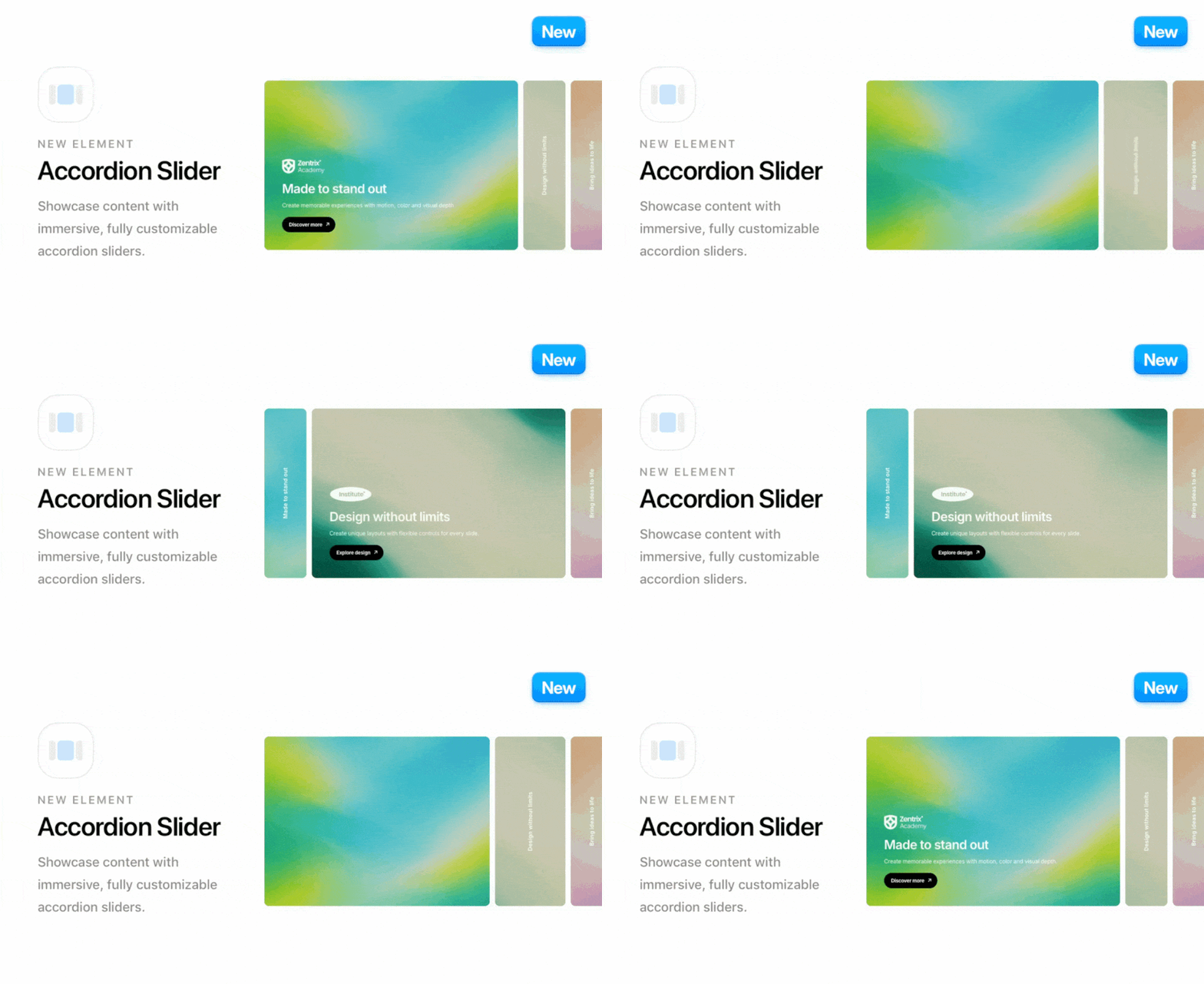
Introducing Accordion Slider Element
Showcase your content in a completely new way with the Accordion Slider element.
Combine titles, descriptions, buttons, images, icons, backgrounds, overlays, and more to create rich interactive layouts for services, portfolios, product features, creative showcases, and almost any type of content.
With smooth interactions and a modern visual experience, Accordion Slider makes it easy to turn your content into engaging sections that invite visitors to explore.
Advanced Layouts & Customization
Create horizontal or vertical accordion layouts with extensive control over their appearance and behavior.
Customize slide content, media, colors, overlays, spacing, heights, border radius, collapsed and active states, responsive behavior, and more. You can also choose whether slides activate on click or hover, giving you the flexibility to create unique interactions for different website experiences.
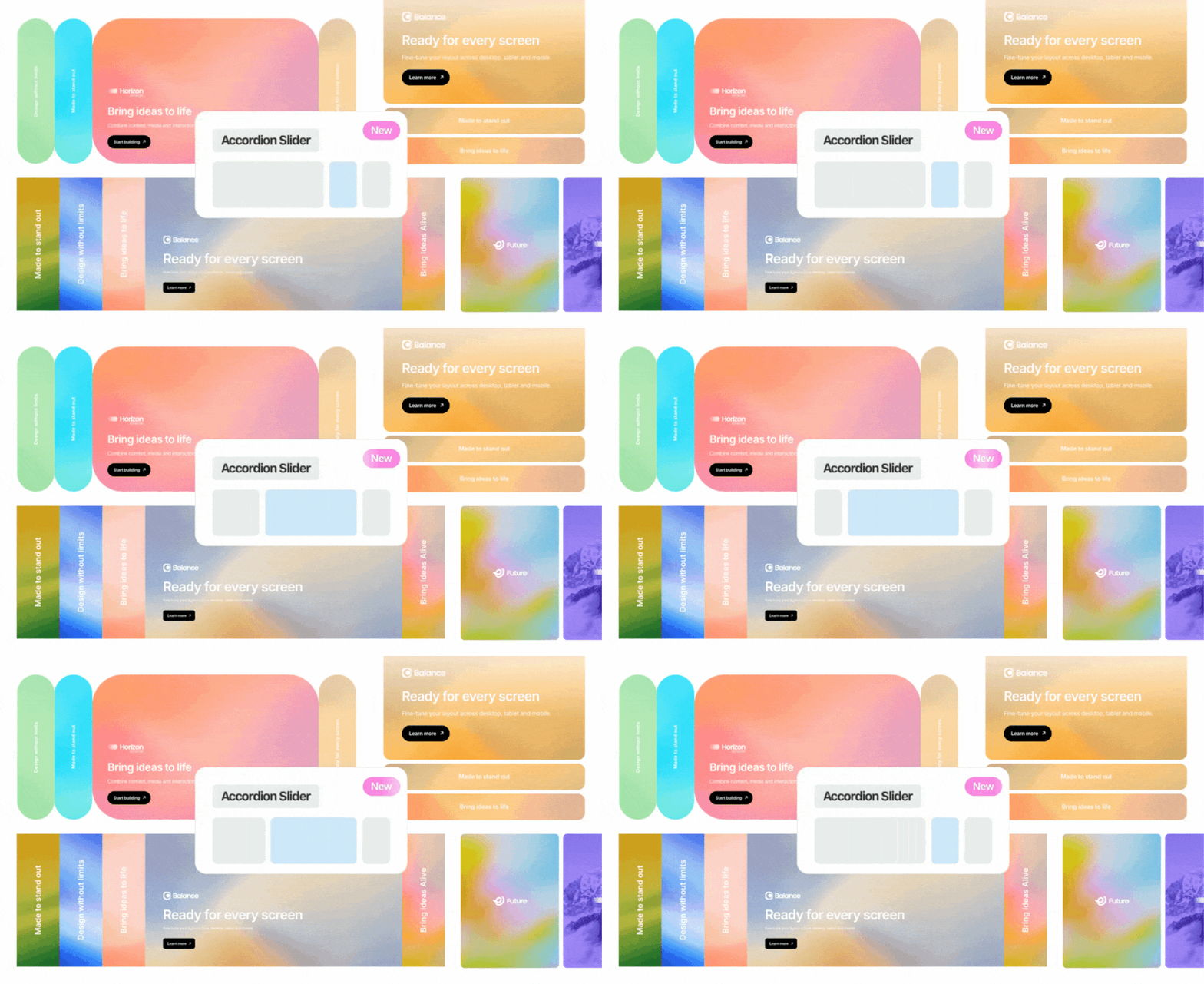
From subtle content showcases to bold, full-height visual sections, Accordion Slider opens up a wide range of new creative possibilities.
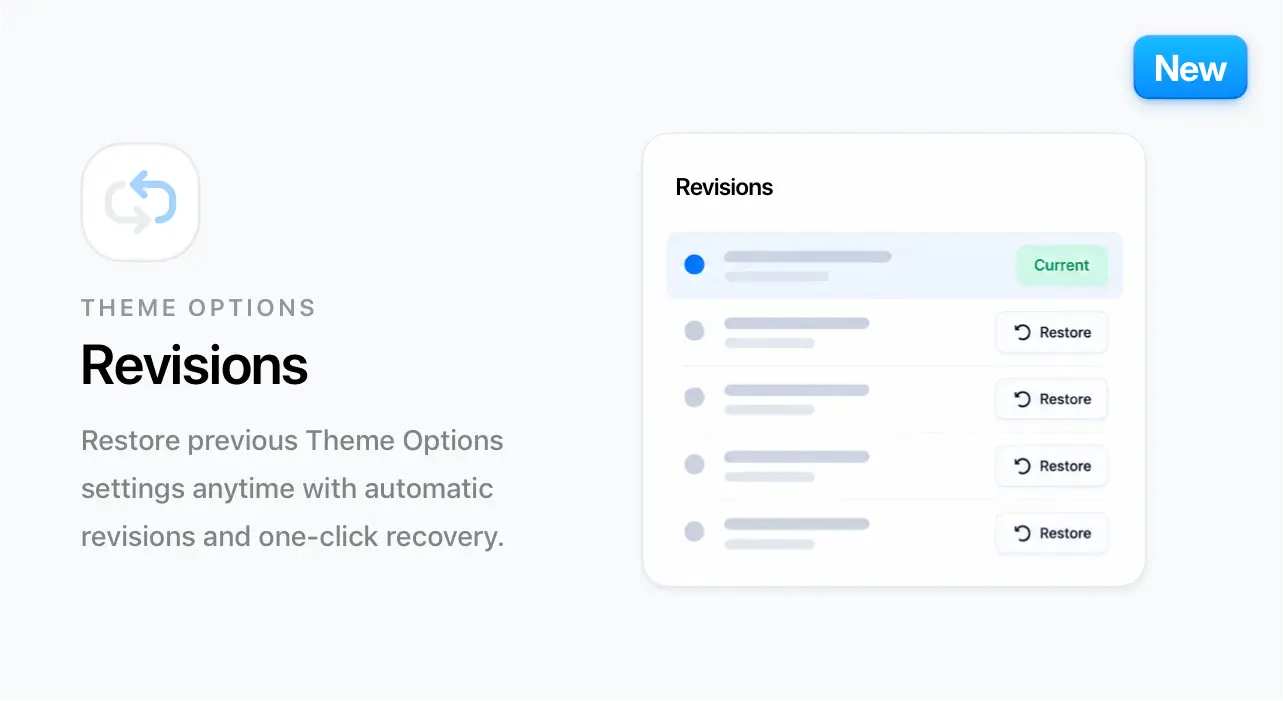
Theme Options Revisions
Restore previous Theme Options settings anytime with automatic revisions and one-click recovery.
Review earlier settings snapshots and quickly return to a previous configuration whenever you need to undo a change.
Added
Accordion title HTML tag option.
Gutenberg editor page background styling.
- Improved handling of nested Elementor content Templates rendering, ensuring live CSS updates are respected inside Elementor Editor
Updated
- Optimized Query loading in Blog and Portfolio to when pagination is not required.
- Optimized Animated Heading, Marquee and Common javascript modules.
- Improved header data sanitization, and updated permissions for theme builder access
- Updated Header text output to use wp_kses_post for improved security and proper handling of user-generated content
- Google fonts loading optimizations
- Enhanced validation and sanitization for Portfolio text fields in the save function
- Elements Styling files optimizations.
- Language translation files
Fixed
- Minor bug fixes and stability improvements
02 September 2026
Marquee Templates
You can now use custom saved templates built with Elementor directly as items inside the Marquee element. This new option allows you to move beyond simple text, icons or images and create fully custom marquee content using your own layouts, designs, and components — all managed directly from the page builder.
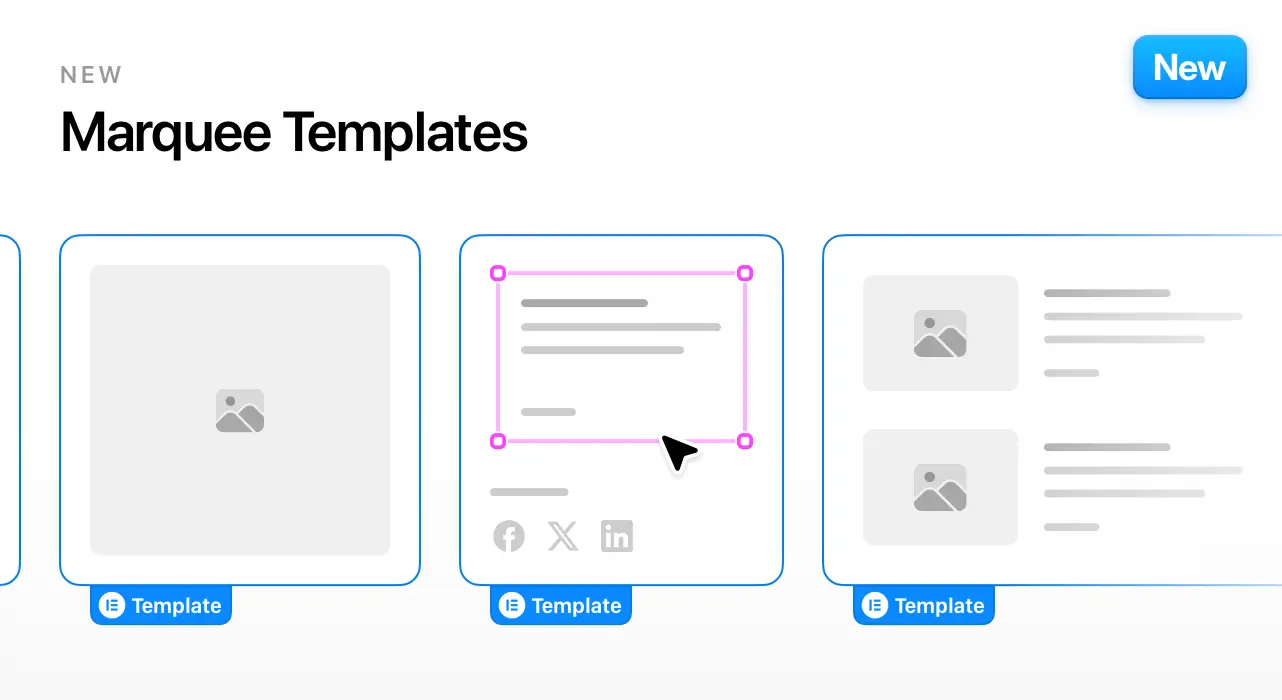
With Marquee Templates, you can create a wide range of unique layouts such as cards, feature sections, testimonials, content blocks, and more — all scrolling smoothly inside the Marquee.
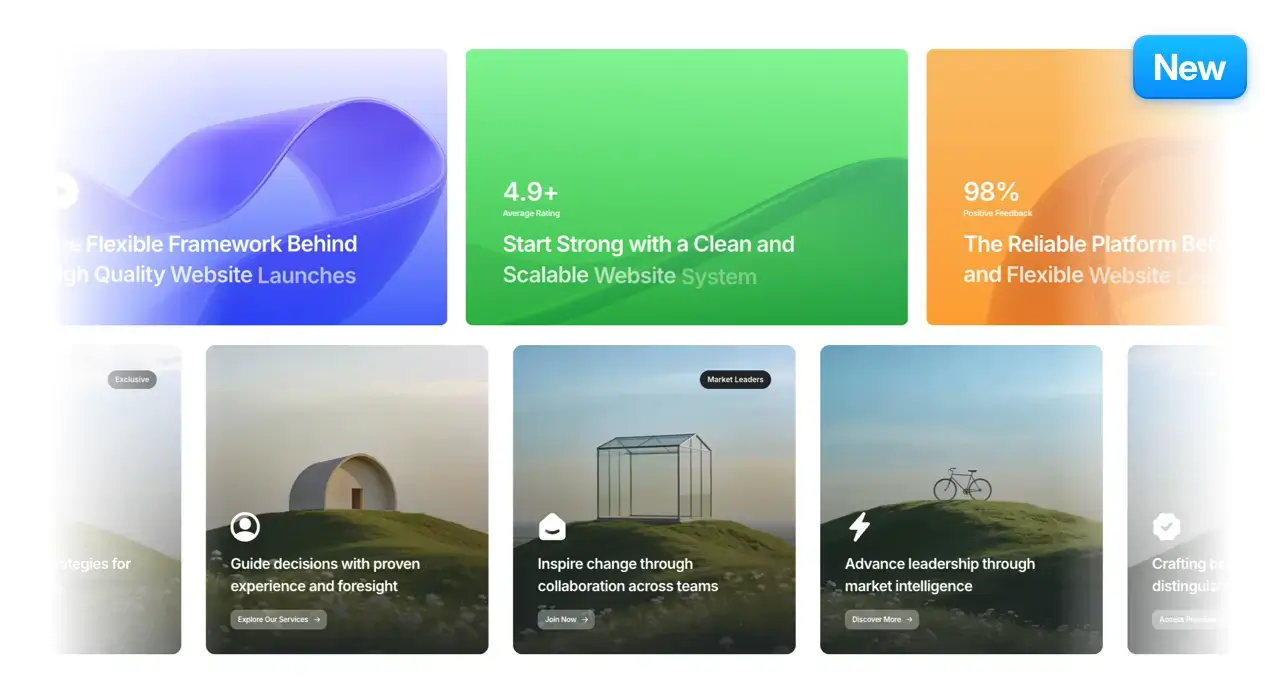
Explore examples and see what you can build:
Copy & Paste Header Elements
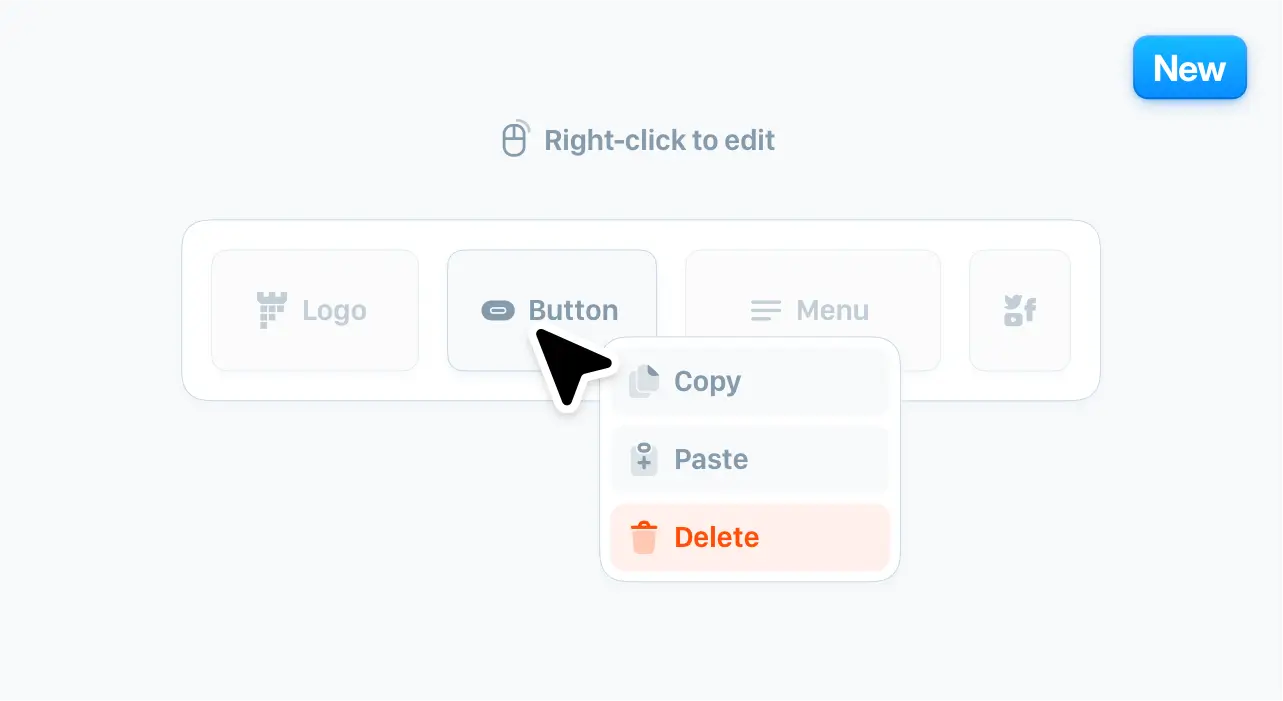
Editing headers is now faster with new right-click Copy, Paste, and Delete actions directly inside the Header Builder. Copy elements between desktop and tablet/mobile header layouts, or reuse them across different headers on the same website — making it easier to keep your navigation consistent and avoid rebuilding the same elements from scratch. This small workflow improvement can save time when creating responsive or multi-header websites.
Added
Improved Gutenberg editor styling to better match the website design.
Responsive control for Items per line in the Blog element
Updated
- Elements Styling assets and Javascript file loading optimizations
- Language translation files
Fixed
- Minor bug fixes and stability improvements
17 August 2026
New Table of Content Element
Create clear and organized page navigation with the new Table of Content element. Perfect for blog posts, documentation pages, long-form content, and knowledge bases, the element comes with multiple styles, customization options, and a ready-to-use setup to help visitors navigate content more easily.

It also opens new possibilities for improved layouts with floating navigation, sticky sidebars, popup navigation, and more.
New Vertical Menu Element
Introducing the new Vertical Menu element — a flexible way to build organized sidebar navigation layouts directly inside Elementor. Create custom navigation areas for documentation pages, dashboards, sidebars, popup menus, and advanced layouts using multiple styles, icons, nested items, and expandable sections.

It also opens new possibilities for improved layouts with floating navigation, sticky sidebars, popup navigation, and more.
Added
- Enhanced edge opacity transition for Carousel items.
Updated
- Enhanced full-link scrolling to close the mobile navigation menu after a link is clicked.
- PHP files enhancments
- Language translation files
Fixed
- Numbers element flow animation with primary gradient text color.
- Minor bug fixes and stability improvements
28 July 2026
New Creative Demo
Introducing the new Creative Demo — designed for modern, bold, and visually rich websites. Built with a strong focus on motion, color, and layout flexibility, this demo combines multiple advanced features to help you create standout designs.

25+ New Library Templates
We’ve added 25+ new library templates, fully integrated and ready to import with one click.

Mesh Gradient Background Effect
Add beautiful animated mesh gradient backgrounds to your sections and create modern, eye-catching visuals that bring your layouts to life.
The mesh gradient background effect includes powerful customization options such as controlling the animation speed, gradient colors, size, grain overlay, distortion, swirl effects, etc., making it easy to design unique animated backgrounds that match your website style.
The effect includes flexible options to adjust settings like animation speed, dot colors, size, spacing, color steps, etc., allowing you to fine-tune the background to fit different sections of your website.
We’ve also prepared a quick guide to help you get started with these effects:
WooCommerce Column Switcher
Give visitors more control over how they browse your products. Available on Shop pages and in the Products element, the new Product Column Switcher lets them quickly switch between 2, 3, and 4 columns.

Secondary image option on product hover
Display a secondary product image when visitors hover over an item in WooCommerce listings. This creates a more interactive shopping experience and lets customers preview another angle or variation without opening the product page.

Added
- Heading Upright Vertical Text: Added upright vertical heading mode with adjustable letter spacing.
- Optimizations of default CSS files.
- Improved shop, product, and checkout interface
- Countdown Layout Controls: Added responsive “values per row” layout options
- Custom Sidebar Overrides: Added per-post and per-category custom sidebar options.
- Accessibility Controls: Added ARIA label options for icon-only header buttons/links and WooCommerce product action icons.
- Semantic HTML Controls: Added custom HTML tag options for Heading and Feature titles.
Updated
- Tooltip radius consistency: Switched tooltip border radius to the shared radius variable.
- Carousels javascript library.
- Language translation files
Fixed
- Sliding Text alignment fix: Responsive alignment now also updates text alignment, not only flex justification.
- Minor bug fixes and stability improvements.
27 June 2026
Scroll Mask Reveal for Highlighted Text
Create beautifully animated highlighted text sections that respond to visitor scrolling.
The new Scroll Mask Reveal option lets you dim text and image items, then reveal their full color as each line moves toward the middle of the viewport. Combined with the new image scroll animation options, including scale and expand effects, you can create elegant storytelling sections that feel dynamic, smooth, and connected to the visitor’s motion.
Dynamic Tags for Header Elements
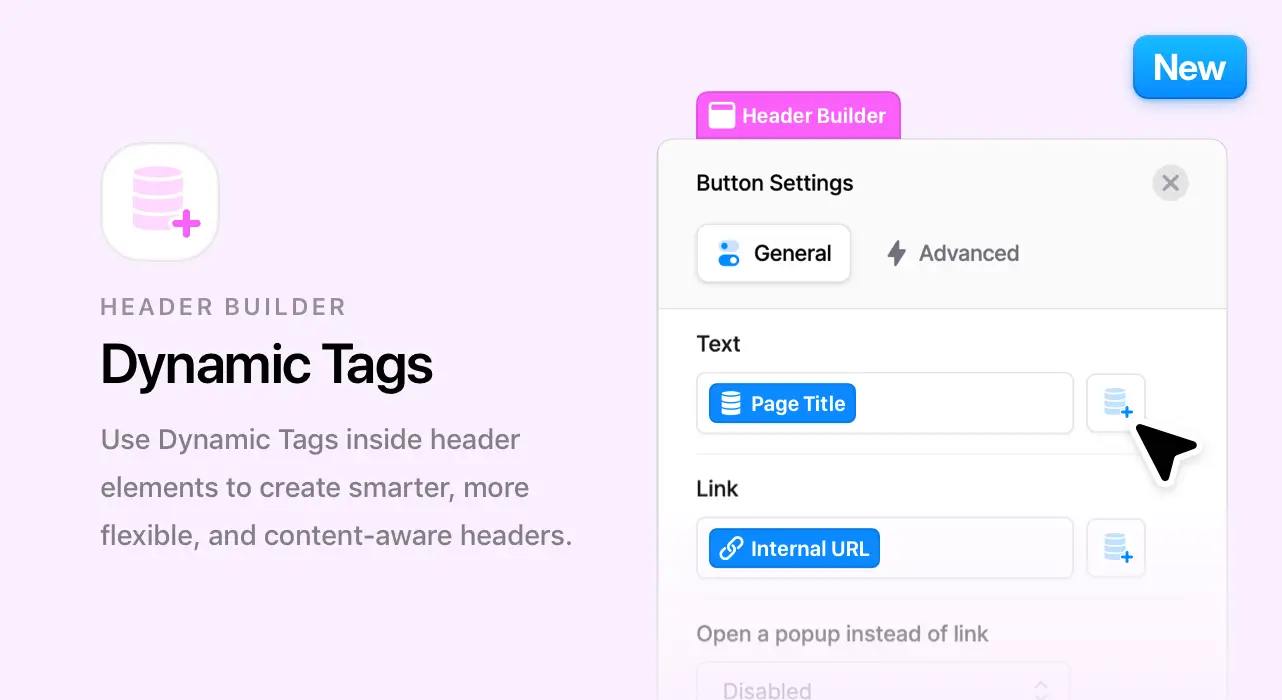
Dynamic Tags are now supported in header elements, opening new possibilities for creating smarter and more adaptive headers. You can now connect dynamic content directly inside your header layouts, making it easier to build personalized, flexible, and content-aware navigation areas.
New WooCommerce Products Element
Introducing the new Products element — a flexible way to showcase WooCommerce products directly inside the page builder.
You can choose the product item style, set the number of products and columns, filter by one or multiple categories, display specific products, control ordering, and show products based on conditions such as on sale, featured, best selling, top rated, or out of stock.
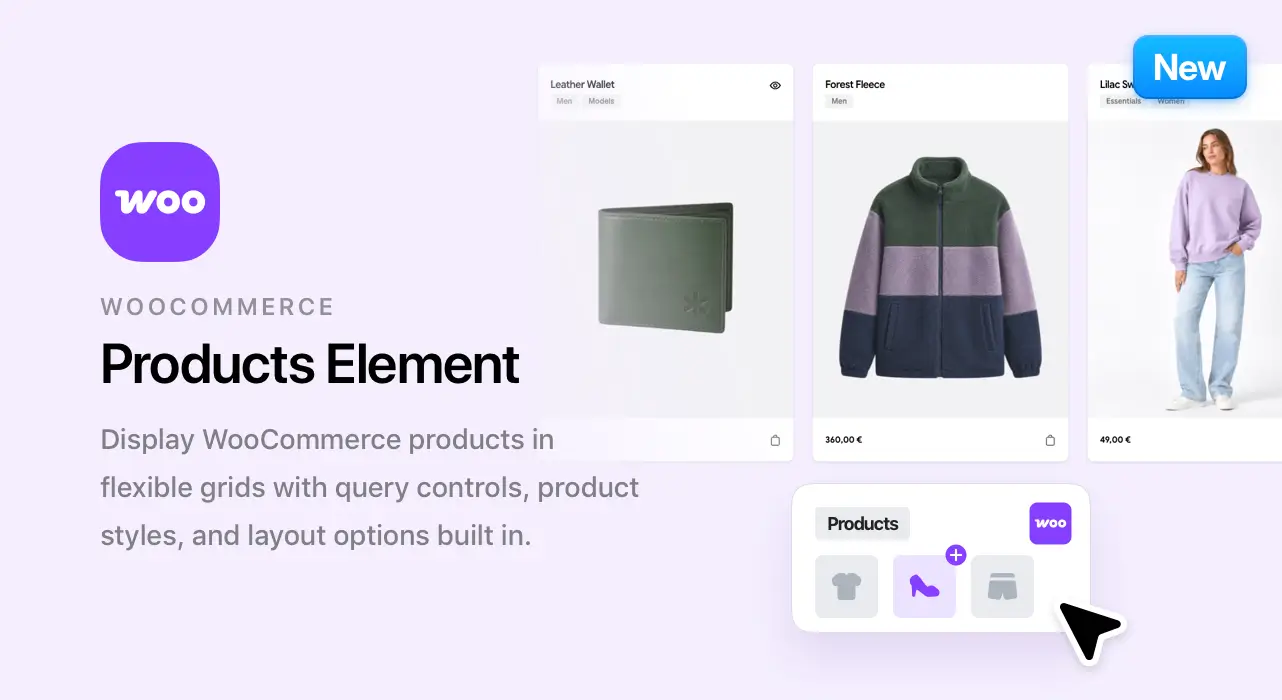
The element also includes useful display options like sorting, result count, and pagination, along with style controls for rounded corners, shadows, hover effects, animations, and product spacing.
Header Builder Enhancements
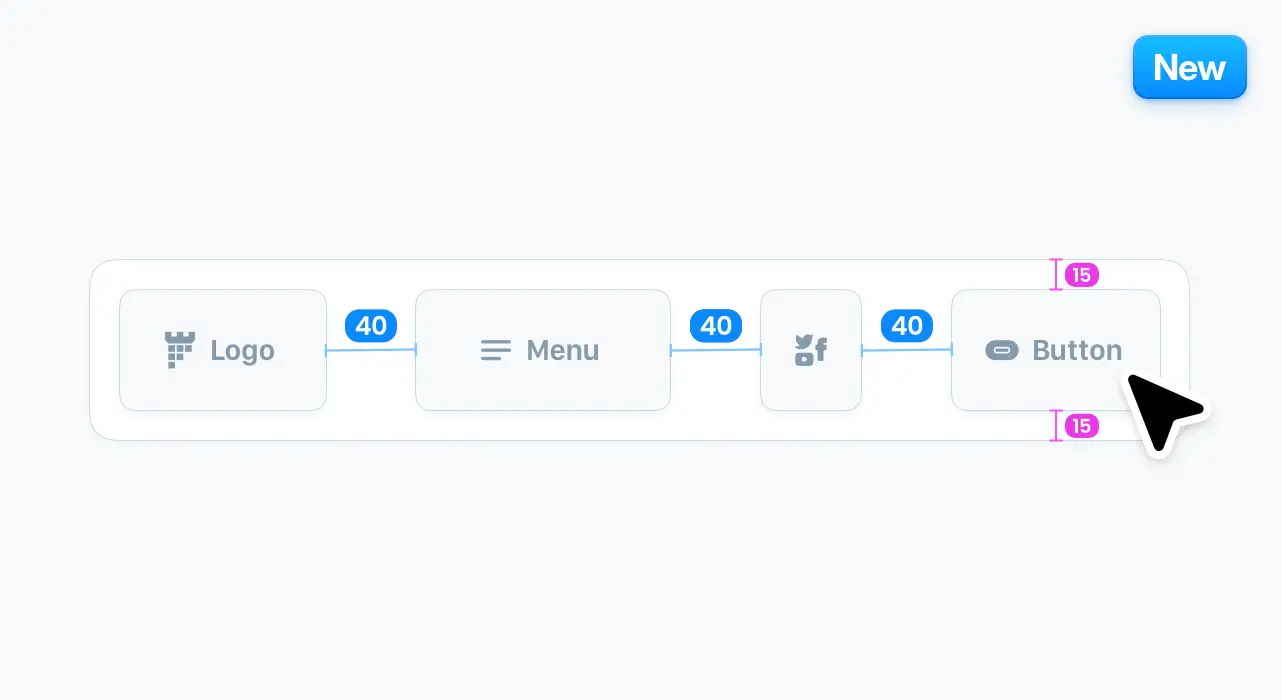
The Header Builder now includes more layout and spacing controls for building cleaner, more precise headers. This update adds column gap controls, per-element spacing options for links, buttons, cart and wishlist items, social icons, and language switchers.
We’ve also added open-popup behavior for header links and new divider animation options, giving you more flexibility when creating advanced header layouts.
Flow Numbers Animation for Countdown
The Countdown element now supports the new Flow Numbers Animation, bringing smooth animated number transitions to your countdown sections.
This update also adds more advanced styling controls, including typography, responsive font sizes, and alignment options — giving you more control over how countdowns look and feel across your website.
Design System: Shadows
You can now customize the default global shadow values used across the theme directly from the Design System in Theme Options.
The new shadow controls allow you to add multiple shadow layers to the same shadow style, making it possible to create subtle, complex, or more expressive shadows depending on your design needs.

Design System: Border Radius
You can now customize the default global border radius values used across theme elements and areas. Choose a uniform border radius for consistent shapes, or define individual corner values to create more custom and unique layouts across your website.

Added
- HTML tag selection for Card, Promo Box, Image Box, Photo Box, and Marquee elements for cleaner semantic markup and better SEO.
- Custom text-size option for banner content.
- WooCommerce option to hide the product description heading.
- Refined WooCommerce product card spacing, radius, and shadow styles.
- Responsive option for position in the the Sliding Text element.
- Product Card Styling: Added controls for card layouts, corners, shadows, hover shadows and animations.
- AJAX Reliability: Added automatic nonce refreshing and retry handling for product previews and cart actions.
Updated
- Improved product galleries, quick view, cart controls, badges, buttons, grids and dark-mode styling.
- Language translation files
Fixed
- Minor bug fixes and stability improvements
9 June 2026
New Image Comparison Element
Introducing the new Image Comparison element. Create interactive before-and-after sliders that help visitors instantly explore visual differences using smooth controls, multiple styles, and flexible customization options.

Perfect for showcasing transformations, product comparisons, renovations, photo editing, design projects, medical treatments, case studies, and much more.
Beautiful Design, Powerful Customization
The Image Comparison element includes a wide range of options to help you create unique comparison experiences that perfectly match your website design. Customize labels, colors, handle styles, sizes, element height, and the initial slider position. You can also control the appearance of the comparison bar and create layouts that fit almost any type of website or content.
Whether you’re building a business website, portfolio, online store, agency site, or documentation platform, the Image Comparison element adapts effortlessly to your needs.

WordPress 7.0 Custom Fonts Compatibility
Manage and use custom fonts more easily with full compatibility for the WordPress 7.0 Custom Fonts Library.

Added
- 7 New Google Fonts.
New Alpha custom background color option in the Header builder
- New CSS Classes option to the Button and Link elements in the Header builder
Updated
- WooCommerce template files to the latest version
- Enhanced Post navigation element to display consistent layout for first item
- Language translation files
Fixed
- CTA element custom title color option
- Accordion custom icon color option
- Gallery 2 Columns items width
- Sticky bottom sidebar display
- Minor bug fixes and stability improvements
9 May 2026
New Foundation Demo
Introducing the new Foundation Demo — a refined, purpose-driven demo designed for nonprofits and foundations, featuring a clean and modern design with smooth animations and elegant scroll effects.
This comprehensive demo includes 4+ professionally designed pages, carefully structured to help you launch faster and present your website clearly and confidently.

25+ New Library Templates
We’ve added 25+ new library templates, fully integrated and ready to import with one click.

Menu Templates
Introducing Menu Templates — a new feature that lets you build custom menu dropdowns directly using Elementor. Design your dropdown content with full flexibility and create advanced layouts that go beyond traditional menus.

Menu Templates work seamlessly alongside the default menu options and built-in mega menus, allowing you to create fully custom dropdown content tailored to your needs — whether it’s rich content sections, complex layouts, or unique navigation experiences.
To learn how to use Menu Templates, check the menus article in our documentation:
Read the Menus Article →
Added
- New Header Layout in the Demo Import Tab
- 22 New Google Fonts
- Carousel elements Dots color option
Updated
- Language translation files
Fixed
- Custom Text Size for the Levels Element
- Minor bug fixes and stability improvements
16 April 2026
Added
Animated Heading element now include aria-hidden attribute on the rotating words for better SEO and accessibility
Updated
- Language translation files
Fixed
Divider styling display with enabled Elementor caching
Minor bug fixes and stability improvements
9 April 2026
Added
Google Fonts loading via the new v2 API
New option in pixfort Likes plugin to enable editing the likes count for each post via the post settings
Updated
- Optimized javascript files for better performance
- Language translation files
Fixed
Sticky footer overlay color opacity fix
Minor bug fixes and stability improvements
4 April 2026
New Boxed Menu Style
Introducing the new Boxed Menu Style, a modern navigation style that adds depth and clarity to your header design.

You can fully customize the boxed appearance with flexible controls for padding, border radius, colors, allowing you to match the menu perfectly with your website design.
Customize Style
Easily adjust spacing and shape by controlling the padding and border radius.

Customize Colors
Customize the boxed menu style colors for both default and scroll states.

Added
Gallery element 2 columns layout option
Updated
- Styling files loading optimizations
- Language translation files
Fixed
Masonry items display inside Elementor
Custom Cursor exclusion color
Clients carousel hover effects display
Minor bug fixes and stability improvements
1 March 2026
Added
- SaaS Contact Page
- 2 New SaaS Templates
Updated
- Language translation files
Fixed
- Minor bug fixes and stability improvements
27 February 2026
Added
- Option to hide top padding for Pages, Blog, Shop and Portfolio from the Theme options
- Disable Blog post title option in Theme options
Updated
- Language translation files
Fixed
- Full Width Mega menu width.
- Menu underline scroll color
- Minor bug fixes and stability improvements
15 February 2026
New SaaS Demo
Introducing the new SaaS Demo — a modern and beautifully crafted design tailored for SaaS products, startups, and digital platforms.
This comprehensive demo includes 12+ professionally designed pages, carefully structured to help you launch faster and present your product clearly and confidently.

45+ New Library Templates
We’ve added 45+ new library templates, fully integrated and ready to import with one click.

Added
- Background color and shadow options for carousel arrows
- Shadow and Border options for the Accordion element
- Shadow and Border options for the Search element
Updated
- Language translation files
Fixed
- Minor bug fixes and stability improvements
31 January 2026
New App Demo
Introducing the new App Demo — a clean, modern layout designed for apps, SaaS products, and startups. The demo features smooth animations, scroll effects, and thoughtfully crafted sections to help you present your product clearly and professionally.

15+ New Library Templates
We’ve added 15+ new library templates, built with a clean, modern style and ready to be imported with one click.

Scroll Effects
Bring motion to your site with the new Scroll Effects feature. You can now apply dynamic, scroll-based transformations to elements, allowing you to create more engaging and interactive layouts. Available in Containers, Image and Auto Video elements. All directly inside the Elementor page builder.

We’ve prepared a comprehensive guide to help you get started with scroll effects:
Read the Scroll Effects Guide →
Global Templates
Create reusable content using the new Global Template type in the Theme Builder. You can insert global templates inside any page, edit them once, and have the changes reflected everywhere — making it easier to manage repeated content across your site.

We’ve prepared a comprehensive guide to help you get started with global templates:
Read the Global Templates Guide →
Added
- Disable Intro area background image animation option
- New header layout (App) in demo import
- New Global Template widget in Elementor
Updated
- Language translation files
Fixed
- Minor bug fixes and stability improvements
16 January 2026
Initial Release
Introducing Conseil WordPress Theme — An all-in-one WordPress theme for consulting firms, businesses, and digital agencies seeking design perfection and powerful results. It comes packed with pixel-perfect templates and robust elements, all crafted for speed, flexibility, and design precision. Built to elevate your workflow, the Conseil Theme offers a seamless editing experience and everything you need to launch beautiful websites.